Beschrijving
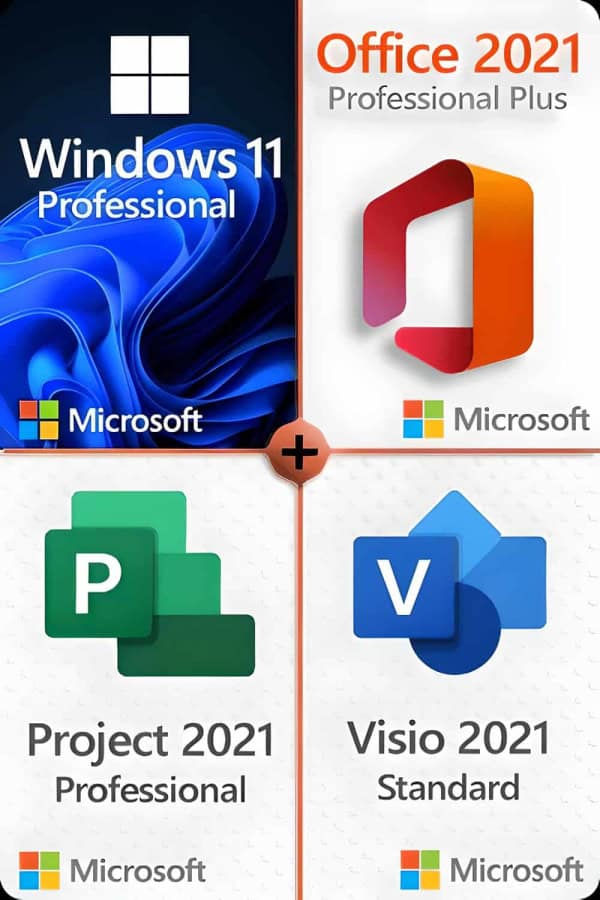
Microsoft Windows 11 Professional
Zorg dat je klaar bent voor het nieuwste en beste besturingssysteem van Microsoft!
Dit zijn de minimale vereisten voor het installeren van Windows 11 op een pc. Als uw apparaat niet aan deze vereisten voldoet, kunt u Windows 11 mogelijk niet installeren. Als u niet zeker weet of uw pc aan deze vereisten voldoet, kunt u de app PC Health Check gebruiken om de compatibiliteit te beoordelen (vereist Windows 10, klik hier om te downloaden).
| Processor: | 1 gigahertz (GHz) of sneller met 2 of meer kernen op een compatibele 64-bits processor of systeem op een chip (SoC) |
| RAM: | 4 gigabyte (GB) |
| Opslag: | Opslagapparaat van 64 GB of groter
Opmerking: Zie hieronder onder “Meer informatie over opslagruimte om Windows 11 up-to-date te houden” voor meer details. |
| Systeemfirmware: | UEFI, Secure Boot-compatibel TPM |
| TPM: | Trusted Platform Module (TPM) versie 2.0 |
| Grafische kaart: | Compatibel met DirectX 12 of hoger met WDDM 2.0-stuurprogramma voor beeldschermen |
| Weergeven: | High definition (720p) beeldscherm met een diagonaal van meer dan 9 inch, 8 bits per kleurkanaal internet |
| Internetverbinding en Microsoft-accounts: | Voor Windows 11 Professional Edition is een internetverbinding en een Microsoft-account vereist om de apparaatconfiguratie bij het eerste gebruik te voltooien.
Om een apparaat uit Windows 11 Home in S-modus te halen, is ook een internetverbinding vereist. Voor alle Windows 11-edities is internettoegang vereist om updates uit te voeren en om bepaalde functies te downloaden en te gebruiken. Voor sommige functies is een Microsoft-account vereist. |
Na verloop van tijd kunnen er aanvullende vereisten zijn voor updates en vereisten om specifieke functies in het besturingssysteem in te schakelen.
Sommige functies in Windows 11 Professional hebben hogere vereisten dan die welke hierboven in het gedeelte met minimale vereisten worden vermeld. Hieronder vindt u enkele aanvullende details over de vereisten voor belangrijke functies:
- 5G-ondersteuning vereist een 5G-compatibele modem.
- Automatische HDR vereist een HDR-monitor.
- BitLocker To Go vereist een USB-stick (beschikbaar in Windows Pro en hogere edities).
- Hyper-V-client vereist een processor met SLAT-mogelijkheden (Second Level Address Translation) (beschikbaar in Windows Pro en hogere edities).
- Cortana vereist een microfoon en luidspreker en is momenteel beschikbaar op Windows 11 voor Australië, Brazilië, Canada, China, Frankrijk, Duitsland, India, Italië, Japan, Mexico, Spanje, het Verenigd Koninkrijk en de Verenigde Staten.
- Directe opslag vereist een NVMe SSD om games op te slaan en uit te voeren die gebruikmaken van het stuurprogramma “Standard NVM Express Controller” en een DirectX12 GPU met ondersteuning voor Shader Model 6.0.
- DirectX 12 Ultimate is beschikbaar met ondersteunde games en grafische chips.
- Aanwezigheid vereist een sensor die de afstand van een persoon tot het apparaat of de intentie om met het apparaat te communiceren kan detecteren.
- Intelligente videoconferenties vereist een videocamera, microfoon en luidspreker (audio-uitgang).
- Meervoudige stemassistent (MVA) heeft een microfoon en luidspreker nodig.
- Snap lay-outs met drie kolommen vereisen een scherm dat 1920 effectieve pixels of breder is.
- Dempen/uitschakelen vanuit taakbalk vereist een videocamera, microfoon en luidspreker (audio-uitgang). De app moet compatibel zijn met de functie om globaal dempen/dempen opheffen in te schakelen.
- Ruimtelijk geluid heeft ondersteunende hardware en software nodig.
- Teams vereist videocamera, microfoon en luidspreker (audio-uitgang).
- Raak aan vereist een scherm of monitor die multi-touch ondersteunt.
- Authenticatie met twee factoren vereist het gebruik van een pincode, biometrische gegevens (vingerafdruklezer of verlichte infraroodcamera) of een telefoon met wifi- of bluetooth-functionaliteit.
- Spraak Typen vereist een pc met een microfoon.
- Wakker worden met stem vereist een Modern Standby-stroommodel en microfoon.
- Wi-Fi 6E vereist nieuwe WLAN IHV-hardware en -stuurprogramma en een AP/router die geschikt is voor Wi-Fi 6E.
- Windows Hello vereist een camera die is geconfigureerd voor nabij-infrarood (IR) beeldvorming of een vingerafdruklezer voor biometrische authenticatie. Apparaten zonder biometrische sensoren kunnen Windows Hello gebruiken met een pincode of een draagbare Microsoft-compatibele beveiligingssleutel.
- Windows-projectie vereist een beeldschermadapter die Windows Display Driver Model (WDDM) 2.0 ondersteunt en een wifi-adapter die Wi-Fi Direct ondersteunt.
- Xbox (app) vereist een Xbox Live-account, dat niet in alle regio's beschikbaar is. Zie Xbox Live Landen en Regio's voor de meest actuele informatie over beschikbaarheid. Voor sommige functies in de Xbox app is een actief Xbox Game Pass-abonnement vereist. Meer informatie over de pas.
Microsoft Project 2021 Professional
De krachtige Microsoft Project Professional 2021 Edition biedt uitgebreide functies en nieuwe interfaces met MS SharePoint, Project Server en Skype. De software maakt volledig gebruik van de talrijke voordelen van het besturingssysteem Windows 10 of 11, maar wordt niet ondersteund op oudere Windows-versies. MS Project Professional 2021 is in de eerste plaats bedoeld voor projectmanagers in bedrijven die hun individuele projecten plannen, beheren, documenteren en later analyseren.
Microsoft Office 2021 Professional
Microsoft Office-gebruikers die thuis of op kantoor het volledige scala aan toepassingen gebruiken, doen er goed aan om te kiezen voor Office 2021 Professional Plus Edition. Alle belangrijke programma's zijn inbegrepen: Word, Excel, Outlook, PowerPoint, Publisher en Access. OneNote is nu beschikbaar om te downloaden in de Windows Store, zodat u snel aantekeningen kunt maken en deze via de cloud op alle apparaten beschikbaar kunt stellen. Vanwege het brede scala aan verschillende programma's is de Professional Plus-versie vooral bedoeld voor mensen die thuis werken, in het thuiskantoor of die op zoek zijn naar een krachtige, betrouwbare oplossing in een kantoor om documenten, tabellen enz. te organiseren.
- Woord: Maak in een handomdraai tekstdocumenten van professionele kwaliteit.
- Excel: Intelligente spreadsheet voor informatiebeheer.
- PowerPoint: Maak indrukwekkende dynamische presentaties.
- OneNote: Je digitale notitieblok.
- Outlook: Eenvoudige communicatie.
- Uitgever: Lay-outontwerp voor professionele publicaties.
- ToegangDatabaseprogrammering voor browsergebaseerde apps.
- Microsoft TeamsMeer productiviteit door instant messaging en HD-videoconferenties (beschikbaar als aparte download).
OPMERKING: Microsoft levert geen Teams-licentie meer bij Office-producten vanwege een Onderzoek van de Europese Commissie. U kunt Teams downloaden te gebruiken met een gratis of betaalde licentie (apart aan te schaffen), afhankelijk van uw behoeften.
Microsoft Visio 2021 Standard
Microsoft Visio Standard 2021 is de nieuwste generatie van de populaire Microsoft-software voor het maken en bewerken van diagrammen en visualisaties. Visio Standard is bijzonder geschikt voor bedrijven, omdat meerdere gebruikers in een team of een afdeling tegelijkertijd aan de diagrammen kunnen werken. Er zijn veel interfaces beschikbaar om de voltooide visualisaties zowel intern als extern met geselecteerde personen te delen. Microsoft heeft intensief gewerkt aan de sjablonen en vormen die continu in Visio worden gebruikt. Ook de stijlen van de diagrammen zijn verbeterd om ze visueel indrukwekkender te maken en tegelijkertijd de diagrammen beter leesbaar te maken. Met Microsoft Visio Standard 2021 krijgt u ook de mogelijkheid om gegevens in realtime in een bestaande visualisatie in te voeren.